Full disclosure: I won the PedalMonster in a forum giveaway. Through additional conversations with the Banks team, I was later sent the iDash Pro and the other products that will show up in this series. Banks has not reviewed this post or asked for a particular opinion. These are my words and my opinions.
The problem these solve
Modern trucks are throttle by wire. There is no cable between your foot and the engine, so the factory software decides how much of your pedal input to deliver, and it is tuned for smoothness and efficiency, not response. On a stock truck that just feels like a soft pedal. On a built truck carrying a cap, a tent, armor, and gear, it feels like the truck got lazy. The power is there. It is just filtered.
This post is step one of a small Banks performance series on the Tacoma: the PedalMonster throttle controller and the iDash Pro gauge. The hot and cold side charge tubes and the cold air intake will get their own post once they are on.
What they are, and who they are for
PedalMonster is a throttle sensitivity controller. It plugs in line with the pedal harness and remaps how pedal travel translates to throttle, so you can tune out the dead spot and dial in how eagerly the truck responds. For readers new to these:
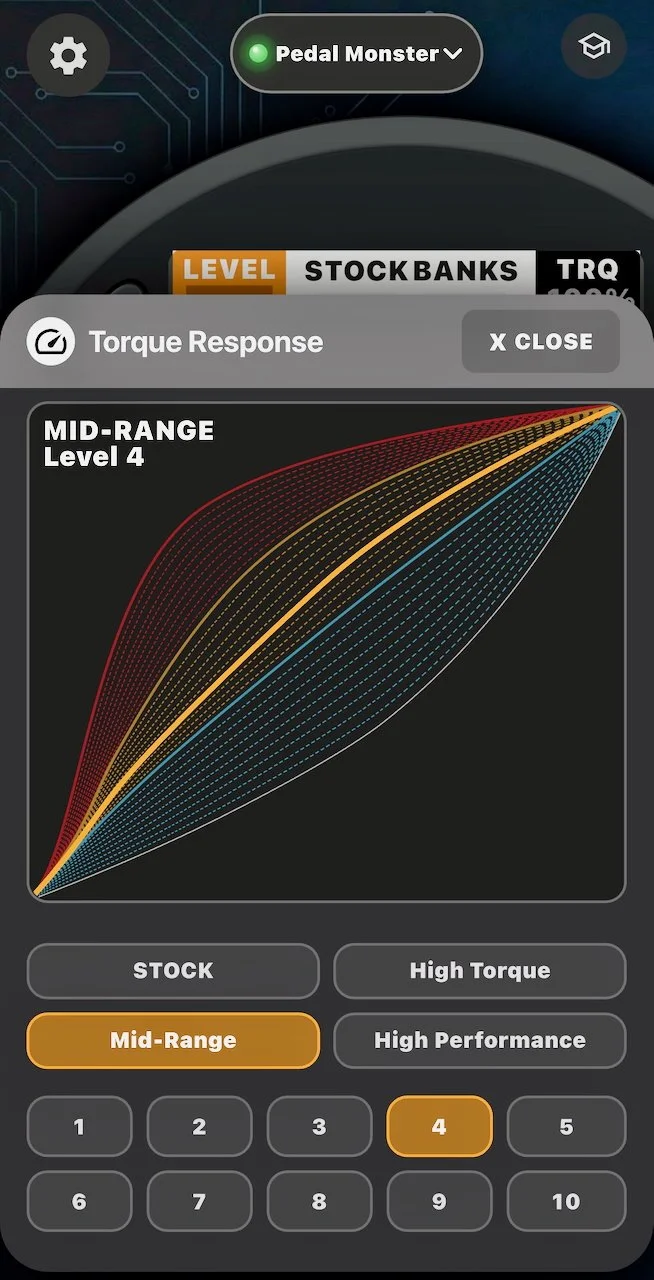
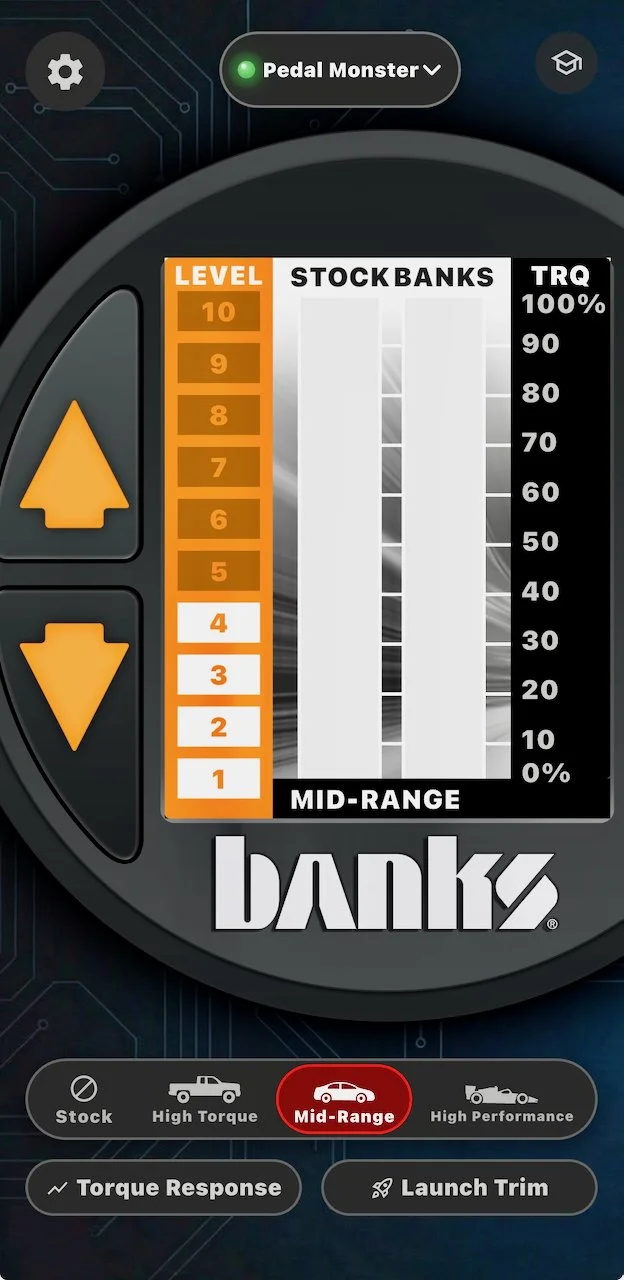
Four profiles in the app, Stock, High Torque, Mid-Range, and High Performance, with 10 sensitivity levels in each: 40 combinations before you touch anything else.
Unlike most pedal boxes, it connects to the OBD-II port and draws power from there rather than sipping power from the pedal circuit itself. That connection is also how it knows vehicle speed and gear.
ActiveSafety failsafe circuitry with continuous health monitoring: if anything faults, it reverts to stock throttle instead of leaving you with a dead or stuck pedal.
Reverse Safety returns the pedal to stock response in reverse, which is handy with a big truck and a tent's worth of blind spots.
Launch Trim softens how much sensitivity is added below 10 mph, so an aggressive setting does not make parking lots, trails, or slick surfaces twitchy.
Changes happen on the fly from the iDash or the phone app: lift off the pedal, pick the setting, drive.
It does not add horsepower, and it leaves no footprint if you remove it. Honesty matters here: it changes how the power you already have is delivered.
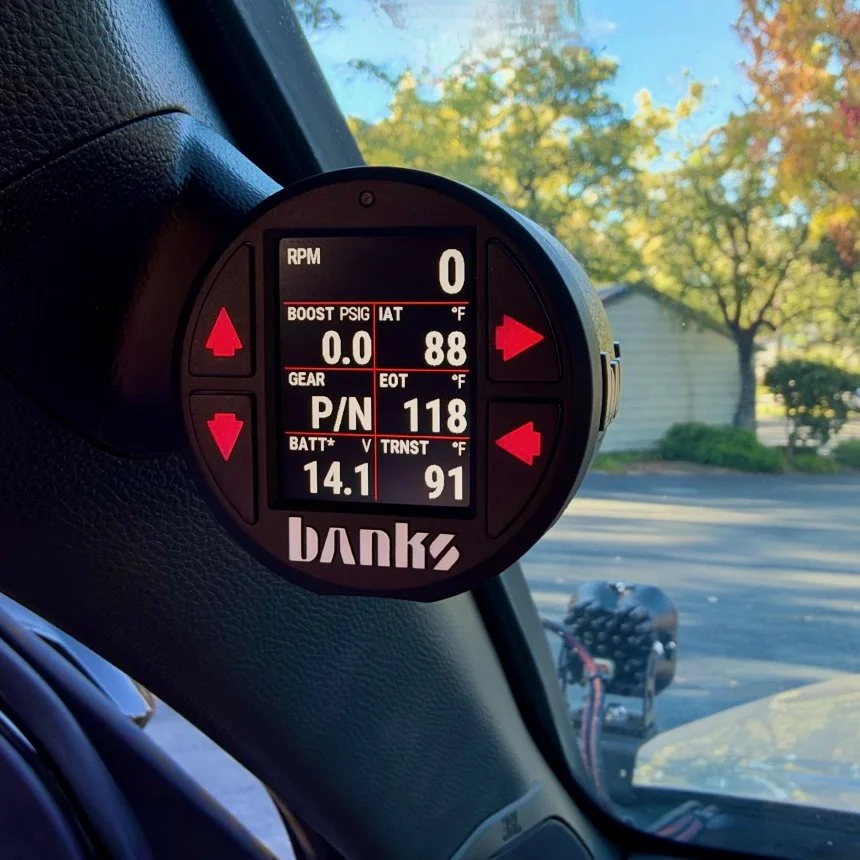
iDash Pro is the other half: a 2-1/16 inch (52mm) digital gauge that reads the truck's data directly and doubles as the PedalMonster's controller.
Up to 8 values per screen across 5 customizable screens, so up to 40 readings a swipe away.
Access to 300+ parameters, depending on what the truck reports, including numbers the factory dash filters or never shows, like real boost and transmission temperature.
The data logging version records up to 100 parameters at a time to the included micro-SD card, plus min and max values, which makes it a diagnostic tool, not just a display.
Set alerts and a shift light, customize layouts and colors from the app, and chain additional iDash gauges later.
It is also the cleanest way to run the PedalMonster: profile and level changes happen right on the gauge.
Who this combo is for: anyone whose truck feels lazier than it should, especially built and loaded rigs, trucks that tow, off-roaders (watching that transmission temp), and drivers who want real data instead of the factory dash's filtered version. Who it is not for: anyone chasing dyno numbers. The PedalMonster does not add horsepower. It just works with what you currently have, and hands it back without the factory filter in the way. Power parts are the next step in this series.
Installation: about an hour, no surprises
This was the easiest install on the truck so far. There were no hidden pieces and no improvising: I literally followed Banks' install video from start to finish.
The layout is simple. The PedalMonster module plugs in line at the pedal, and the harness runs to the OBD-II port. The iDash lives in a pod on the driver's A-pillar where I can see it without looking down. That part does take a little commitment: you pull the A-pillar trim and drill one small hole in it so the cables can pass through into the pod. It is the only mark in the whole install, and it hides behind the pod once everything is back together. The pod itself is molded to the pillar, so once it is mounted it looks factory. No cutting or splicing of any wiring, and everything unplugs if I ever want it out: put the trim back and no one would ever know. Total time was about an hour, including pairing the app and picking my first settings.
First 200 miles: what it can do so far
Let me be clear about what this post is: an early report, not a final verdict. I am about 200 miles in. So far I have not found anything this combo cannot do, and that is exactly why it needs more miles. Towing, trails, and long drives are where the limits would show up, and those are still ahead of me. A follow-up post will close the loop once I have them.
What it has already proven:
The truck drives like the day I brought it home. That is the headline. The Tacoma carries a cap, a tent, and a full load of gear every day, and the weight made the factory throttle filtering impossible to ignore. The torque and responsiveness I remembered from stock are back, at the part of the pedal I actually use. No power was added. The power was always there, and the PedalMonster hands it back.
My daily setting is Mid-Range, level 4. Mid-Range is the profile I keep coming back to, and level 4 of 10 is the sweet spot I landed on: the dead spot is gone and the truck answers immediately, without feeling jumpy every time I touch the pedal. The adjustment range around that setting feels endless, which is the fun and the danger of this thing. Small changes make real differences, and you can make them sitting at a light.
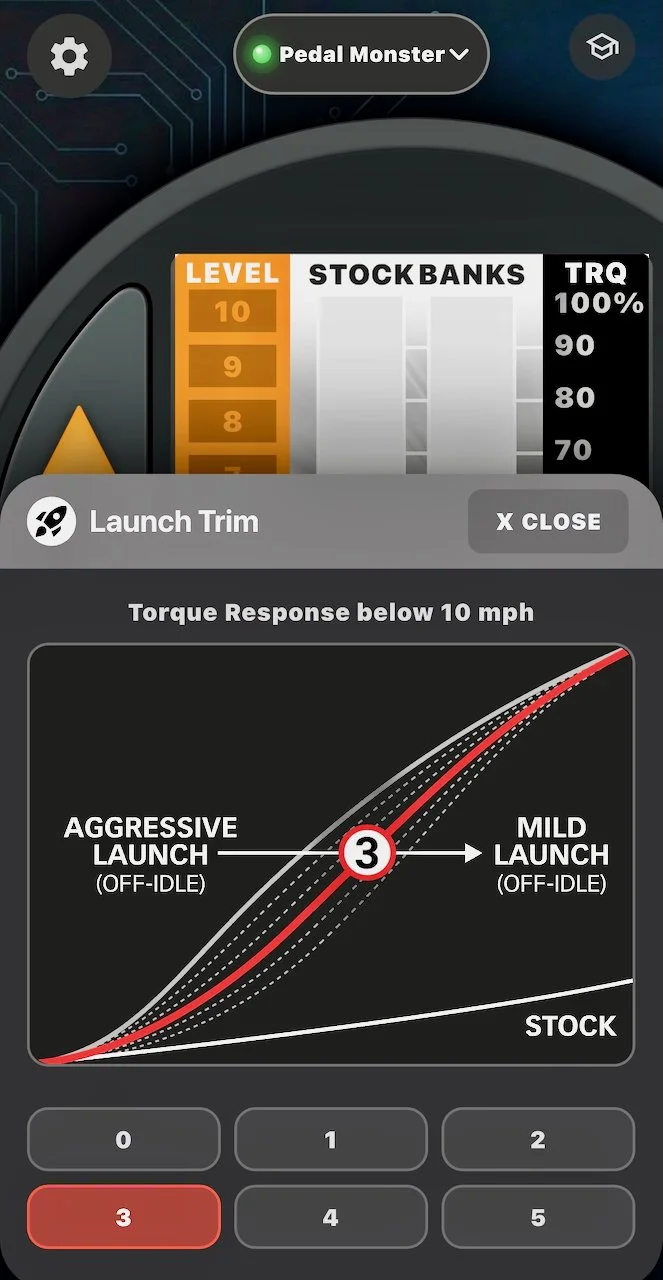
Launch Trim is set to 3, and it matters more than I expected. Launch Trim controls torque response below 10 mph. At 3, the truck stays civilized in parking lots and on slow trail sections while the Mid-Range curve does its work everywhere else. Without it, a setting that feels perfect at 40 mph would be a handful at 4.
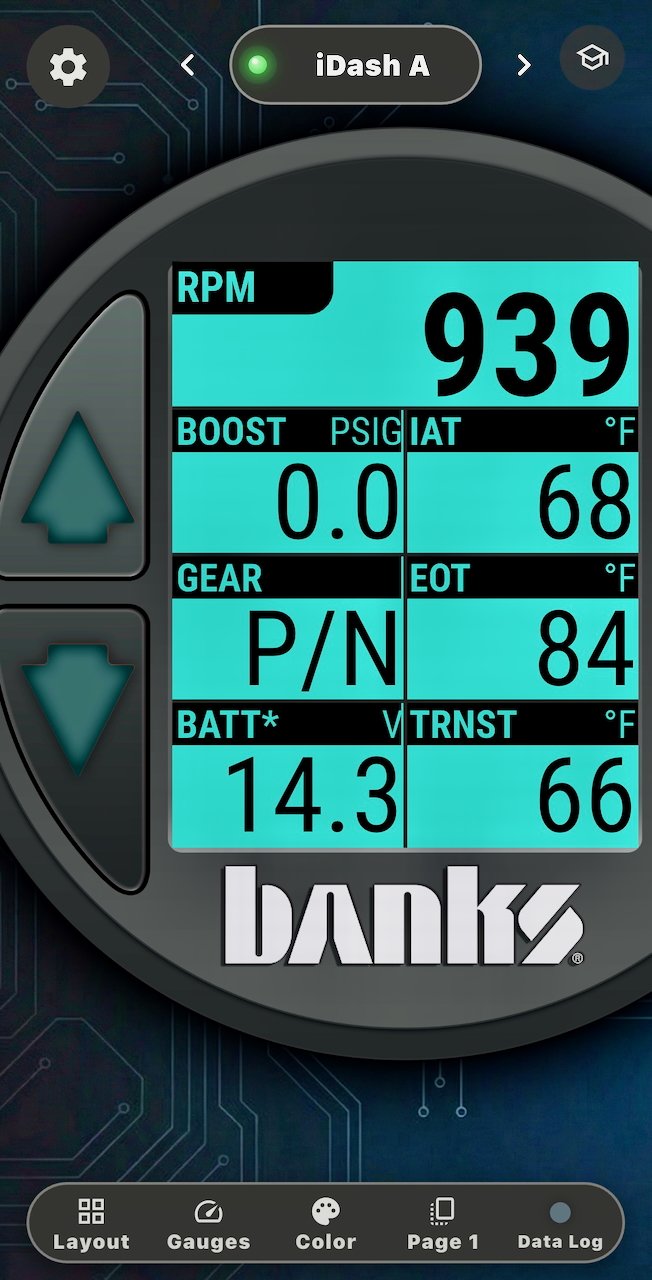
The iDash shows me what the truck is actually doing. My main screen runs seven values: RPM, boost, intake air temperature, gear, engine oil temperature, battery voltage, and transmission temperature. Half of those are numbers the factory dash hides completely, and transmission temperature alone is worth it for anyone planning to tow with one of these trucks. It matters off road too: the 4th gen is notorious for running its transmission hot in 4Hi, and the factory dash gives you no way to see it coming. The iDash does. I am still in the early miles, so the story here is about having the data live in front of me, not filtered. What it tells me over towing and trail miles is the follow-up.
What is next
Still in box: the hot and cold side charge tubes. The cold air intake has yet to be shipped but I’m very excited for that. Once those are on, this combo stops being just about response and the series gets into actual airflow. And the PedalMonster and iDash still owe me their harder tests: a towing day, a trail day, and a long highway stretch, in that order.
If your built truck feels lazier than it should, this is the first thing I would do. It took an hour, it is fully reversible (everything unplugs, the trim snaps back on, and the one small hole hides behind the pod where no one would ever know), and it gave me my truck back.